How to Write Clear Menu Descriptions for Plate Sales
Use a simple menu-description formula, worked examples, and a publishing check to explain every plate, choice, price, and pickup detail clearly.
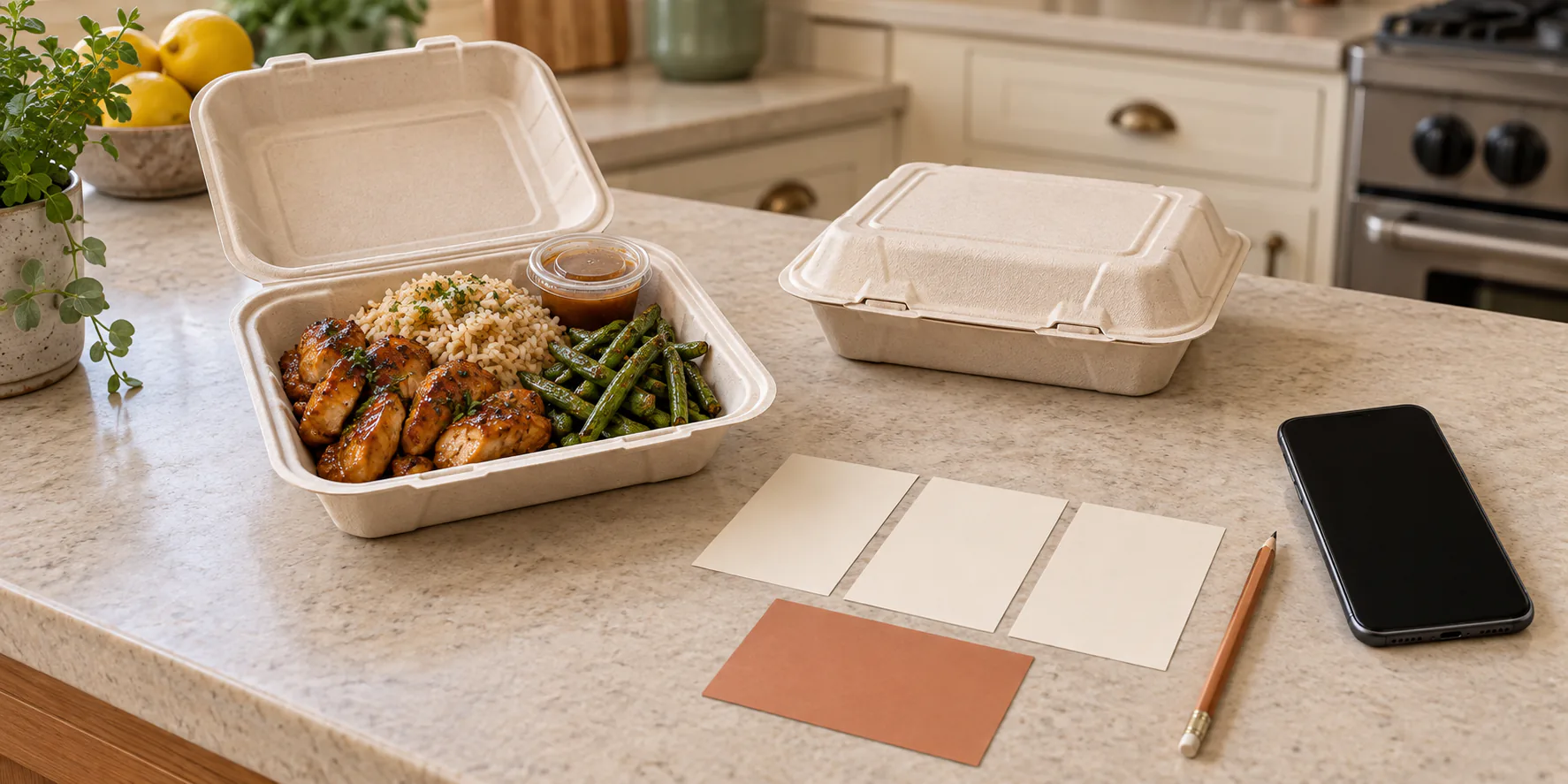
A useful menu description answers the questions that determine an order: What is the main dish? How is it prepared? What comes with it? How much food is included? Which choices cost extra? If customers must message you for those basics, the listing is not finished.
Use this formula: item name + preparation or flavor + included components + count or portion + permitted choices. Put the price, order cutoff, and pickup or delivery facts directly beside it. This guide shows how to build that description from the real plate, rewrite vague copy, and keep the same approved offer everywhere customers see it.
A description does not make a food or home kitchen legal to sell. Confirm current menu, labeling, allergen, consumer-advisory, pricing, tax, and home-operation requirements with the authorities that regulate your product and location before publishing.
Start with the plate you will actually sell
Write from a finished sale portion, not a recipe idea. Assemble the main, sides, garnish, sauce, and packaging exactly as a paid customer should receive them. If a choice changes what is packed, place both versions in front of you before deciding whether they belong under one listing.
The FTC’s advertising guidance for small businesses says advertising must be truthful and non-deceptive, objective claims need support, and a material omission can mislead a buyer. It also evaluates the overall impression created by the words and images together. That means the photo, item name, price, and description must make the same promise.
Build the plate from your standardized recipe and verified portion, then compare it with the image from your repeatable food-photo setup. If the photo shows two chicken thighs, rice, green beans, and sauce, the sold unit and menu copy should match.
Create a short source record before writing:
- item name and recipe version;
- verified portion or piece count;
- included sides, sauces, and packaging;
- approved substitutions and paid add-ons;
- current supplier labels used for ingredient and allergen review;
- sale date, cutoff, fulfillment method, and approver.
The public description is a clear view of this factual base, not a replacement for it.
Use a five-part menu-description formula
Build the food sentence in this order. You can omit a part only when it genuinely adds no useful information.
| Part | Question it answers | Example |
|---|---|---|
| Item name | What is it? | Honey-garlic chicken plate |
| Preparation or flavor | What should I expect? | Oven-roasted with a mild honey-garlic glaze |
| Included components | What comes with it? | Seasoned rice, green beans, and sauce |
| Count or portion | How much is the defined unit? | Two chicken thighs and one sauce cup |
| Permitted choice | What may I select? | Choose rice or macaroni |
The finished food sentence could read:
Honey-garlic chicken plate with two oven-roasted chicken thighs, seasoned rice, green beans, and one sealed sauce cup.
Use concrete nouns before adjectives. “Braised beef with rice and cabbage” is more useful than “Chef’s special.” Add sensory detail only when the tested recipe supports it: crisp slaw, slow-braised beef, lemon-herb rice, or mild roasted-pepper sauce. Avoid empty stacks such as “mouthwatering premium homemade goodness.”
State a count or size when it defines the paid offer and your portioning process can reproduce it. “Two chicken thighs” is clearer than “generous chicken.” Keep the unit aligned with the price built from food, packaging, labor, overhead, and profit.
Rewrite vague copy with a customer test
A rewrite should remove uncertainty, not merely add more adjectives.
| Vague version | Clearer version | What changed |
|---|---|---|
| Sunday dinner special — $15 | Two-piece roasted chicken plate with seasoned rice, green beans, and one sauce cup — $15 | Names the main, count, sides, sauce, and base price |
| Veggie bowl with all the fixings | Spiced chickpea bowl with seasoned rice, roasted vegetables, and herb sauce | Replaces an undefined phrase with the actual components |
| Family tray — feeds everyone | Braised beef tray with 12 measured servings; rice sold separately | Replaces an unprovable audience claim with the tested yield and boundary |
Now ask a person who did not write the copy to point to the exact food, quantity, base price, and unavailable requests. If they infer something the source record does not promise, revise the listing. A description can be brief and still complete; it cannot be clear while hiding the unit being sold.
Turn choices into controlled order fields
Do not bury every possible request in a paragraph. Separate the fixed plate from required choices, optional add-ons, and unavailable requests.
| Part of the offer | Customer sees | Kitchen record receives |
|---|---|---|
| Base plate | Chicken, rice, green beans, sauce | One defined production item |
| Required choice | Choose rice or macaroni | One required side field |
| Add-on | Extra sauce: $1 | One countable paid modifier |
| Boundary | No other substitutions | No open note to interpret |
Square’s menu documentation separates buyer-facing item information from kitchen-facing names, while its modifier documentation explains selection limits and how choices flow to tickets and receipts. Even if you use a paper form, copy that logic: require required choices, cap quantities, and give each approved option one name.
If a choice changes the price, show the added amount before payment. If it changes ingredients or allergens, route the new version through the same recipe and label review as the base plate. A casual “swap anything” promise creates an item the kitchen has not costed, scheduled, or assessed.
Put price and fulfillment facts beside the item
The food sentence describes the plate. The rest of the listing should state the price, order method, cutoff, sale date, pickup or delivery window, service area, and quantity limit. Keep those facts together instead of assuming the customer saw an earlier post.
The FTC’s small-business advertising guide says qualifying information should be clear, noticeable, and close to the claim it qualifies. Do not headline a base price and hide a required fee or material limit in a later message. Confirm the pricing and fee rules that apply where you sell.
Send paid orders into one preorder workflow with capacity limits and pickup windows rather than treating social messages as the final order record.
Remove claims the kitchen cannot prove
Read every adjective as a possible promise. “Healthy,” “all natural,” “low sodium,” “sugar-free,” “locally sourced,” “allergen-free,” and similar phrases can imply facts beyond flavor. Delete them unless you have checked the applicable rule and can support the complete impression.
For example, FDA’s current information on the voluntary “healthy” nutrient-content claim explains that covered foods must meet defined food-group and nutrient criteria. “Healthy” is not a casual synonym for “contains vegetables.” A footnote also cannot repair a false headline; rewrite the claim around the meal’s verifiable components.
Treat allergen notices as controlled information
Review the current recipe, every component, and current supplier labels. A seasoning blend, sauce, breading, garnish, or substituted brand can change the information customers need.
The 2026 FDA Food Code is a model for retail food regulation, not automatically the law everywhere. It includes written notification of major allergens in unpackaged foods, while jurisdictions may adopt, change, or add requirements. Ask your regulator what written information your operation must provide and where it must appear.
A menu notice does not make a shared kitchen allergen-free. Send individual requests through the food-allergy order accept-or-decline process and decline what the kitchen cannot verify or control.
Publish one approved version everywhere
Keep one approved item record, then copy from it into each live channel. Google’s Business Profile menu editor can display item names, descriptions, and prices and tells businesses to review generated menu information before publishing. Square similarly treats the menu as a central place for buyer-facing items across assigned channels.
After publishing, open each customer view on a phone. Check the social caption, ordering page, payment item, Google menu, and confirmation for an old price, missing side, stale photo, or lost modifier. Mark the version and sale date so you know what to retire when the recipe or price changes.
Run a five-order comprehension test
Ask someone else to place five fictional orders using only the public view: the base plate, every required choice, one add-on, and one unavailable request. Confirm that the listing answers:
- What food and quantity does the base price buy?
- Which choices are required, optional, or unavailable?
- What adds to the price?
- When do orders close, and how is the meal fulfilled?
- Where is the required ingredient or allergen information?
- Does the order record tell the kitchen exactly what to pack?
Any answer that needs private explanation is a reason to revise the description or order fields. Repeat the test after a recipe, supplier, price, portion, photo, or fulfillment change.
Start with one item. Assemble the real plate, use the five-part formula, control every choice, verify claims and required notices, and compare every live channel with the approved record. Once the listing produces five unambiguous test orders, connect it to a manageable sale day. The Selling Plates guide can place that clear offer inside a broader menu, pricing, ordering, and launch plan.
Ready to move?
Turn the research phase into your first sale.
The guide brings pricing, menu planning, marketing, and setup into one clear playbook.
Get the guide on Gumroad