What Is a Facebook Plate? Market a Plate Sale Locally
Learn what a Facebook plate is and market a local plate sale with a complete offer, clear group posting, one order path, honest proof, and tracking.
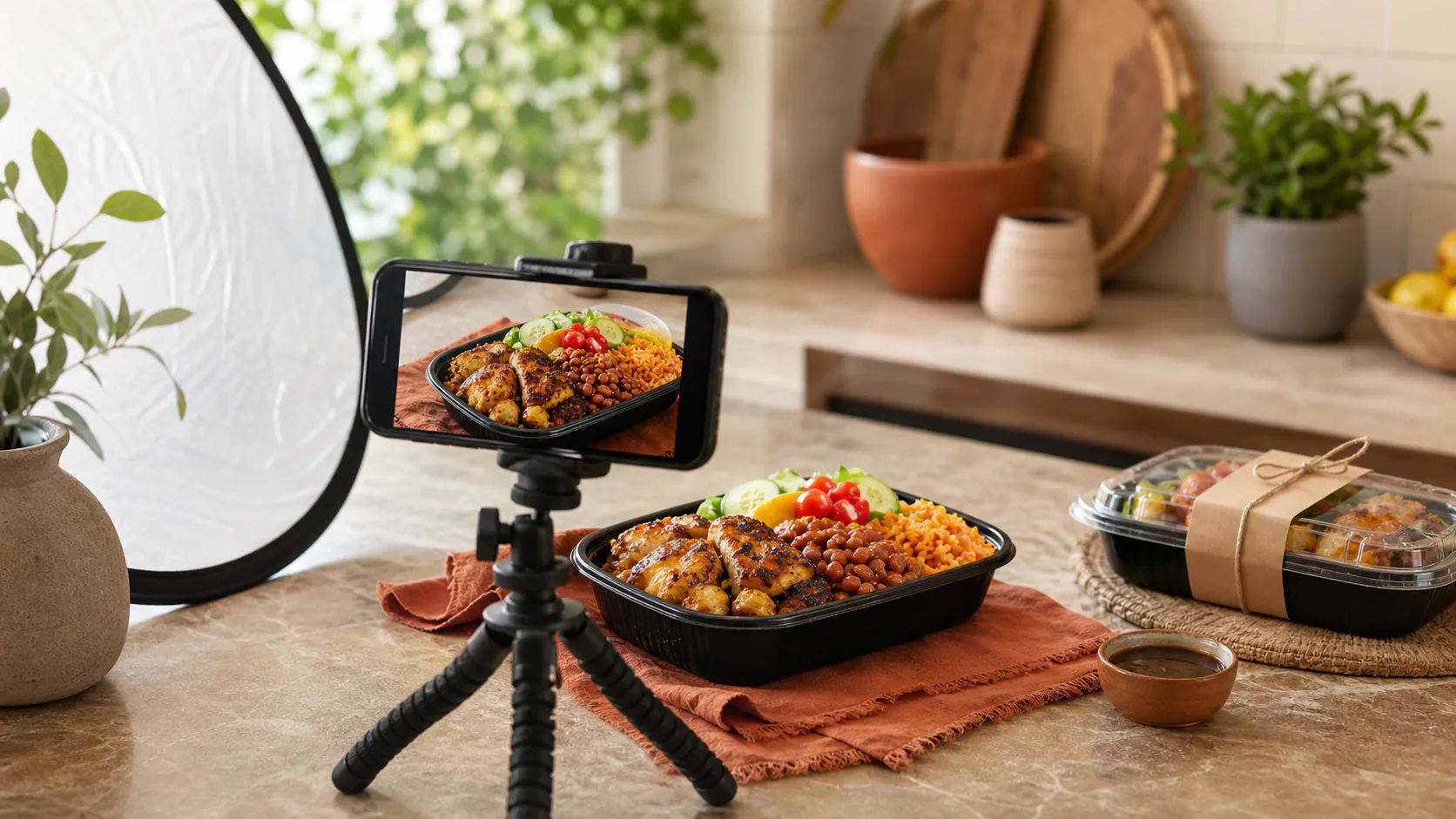
A Facebook plate is an informal name for a ready-to-order meal promoted or discovered through Facebook, often in a local group, on a business Page, or in Marketplace. It is not a special Meta product, food-business category, or permit. Facebook is the discovery channel; the seller still needs a defined meal, price, order boundary, confirmation rule, production count, and handoff plan.
Recent reporting from WBUR and the Houston Chronicle shows buyers finding prepared food through both Marketplace and community groups. That visibility can create orders, but a photo, comment, or viral video does not create a controlled sale. This guide turns one weekly menu into a complete local offer and one reliable order record.
Understand what “Facebook plate” means in practice
The phrase describes a customer path, not a legal status. A workable Facebook-plate campaign has three separate layers:
- Offer: one specific meal, portion, price, sale date, and quantity cap.
- Discovery: a Page, local group, Marketplace listing, story, or shared post where the right local customer sees it.
- Order control: one form, checkout, or message process that records the buyer’s exact choices, payment state, and handoff.
Before advertising or taking money, verify the requirements for the actual menu, kitchen address, and sales method. The FDA’s food-business starting guidance explains that requirements vary by product and facility and can include federal, state, and local rules. A visible listing is not proof that another seller—or your operation—has the required permission.
The plate-sale definition guide explains the complete operating model. For marketing purposes, keep four boundaries clear:
| The Facebook post can do | It does not do by itself |
|---|---|
| Show the meal and complete offer | Prove that the kitchen or menu is permitted |
| Reach suitable local customers | Turn a comment or reaction into a confirmed order |
| Direct a buyer to the next step | Replace the production and pickup record |
| Display truthful customer proof | Support a claim the seller cannot verify |
The FTC’s small-business advertising guidance says advertising claims must be truthful, non-deceptive, and supported before the ad runs. Put the price, included food, choices, deadline, fees, and handoff facts in the post or immediately linked order page. Do not rely on a later private message to correct a misleading first impression.
Define the customer and service area first
“Everyone who likes food” is not a useful target. Name the buyer and occasion: Friday dinner for shift workers, a weekend family meal, or a regional dish for nearby customers.
Choose the pickup area or delivery radius you can serve. Name useful neighborhoods, landmarks, service days, or delivery boundaries without exposing a private home address publicly.
The SBA’s market-research guidance recommends examining demand, customer location, market saturation, and the prices people already pay for alternatives. Start with direct evidence: questions from past customers, replies to menu polls, previous order records, and conversations in the community you plan to serve.
Write one positioning sentence: “We sell ___ to ___ in ___ on ___.” If a post does not help that customer understand or order, it is not essential. Starting without an audience? Use the first-10-customers outreach plan to build a permission-based local list.
Turn the menu into one complete offer
A photo without the practical details creates questions, not necessarily orders. Build one source-of-truth menu containing:
- the exact dish name and everything included;
- portion or serving information you can support;
- price and paid add-ons;
- order deadline;
- pickup or delivery date and window;
- service area;
- quantity limit or “while available” statement;
- payment and reservation rules;
- one ordering link, form, or message instruction.
Use the menu-description workflow to keep the same inclusions, choices, and price across Instagram, Facebook, messages, and the final order record.
For example: “Friday lemon-pepper chicken plate: chicken, seasoned rice, green beans, and sauce, $16. Preorder by Thursday at 7 p.m.; pickup Friday from 5–6:30 p.m. near Eastwood. Twenty-four available. Use the order form; payment confirms the order.” This is only a format example—the seller must replace every detail with the approved recipe, real capacity, service area, and payment rule.
Before publishing, ask someone unfamiliar with the menu to read it and explain how they would order. If they need a private answer for the price, pickup time, included sides, or deadline, fix the post.
Choose Marketplace, groups, and Pages for different jobs
Do not make customers reconstruct the sale from a Page post, group comment, story, and message thread. Choose one source post or order page for the complete offer, then let every other surface point back to it.
| Surface | Best job | Control to keep |
|---|---|---|
| Business Page or source post | Publish the complete menu announcement | Edit one source when a fact changes |
| Marketplace listing | Reach buyers browsing local listings | Check current Commerce Policies and local eligibility; point to one controlled order route |
| Community group | Introduce the offer to an allowed local audience | Read the group’s promotion rules before posting |
| Story or reminder post | Repeat the deadline or availability | Link back to the complete current offer |
| Messenger | Answer a specific question or collect stated fields | Move the result into the central order record |
| Order form or checkout | Capture the final customer choices and confirmation | Enforce the real quantity and handoff limits |
Marketplace is not simply a larger community group. Review Meta’s current Commerce Policies while signed in, then use the separate Facebook Marketplace food guide to check the platform and local-permission gates. Group access is also not permission to advertise: Meta’s description of Facebook group admin tools notes that admins can set and enforce rules and reduce promotional content. Use the promotion thread or schedule when one exists, and skip groups that do not allow the offer.
Build a five-part menu-drop sequence
Reuse the same offer through a short sequence.
1. Early menu announcement
Publish the complete menu when orders open. Lead with the food and sale date, then make the price, deadline, service area, and order action easy to find.
2. Detail post
Show one buying detail: portion, included sides, packaging, spice level, or how the dish travels.
3. Preparation or process update
Share an accurate process moment without suggesting unsafe handling or a quantity you are not producing.
4. Deadline reminder
Restate the cutoff and supported availability; do not invent scarcity.
5. Service-day proof and follow-up
Show completed packaging, a controlled pickup setup, or approved feedback. Thank customers and announce the next menu date.
Use photos that answer buying questions
Show the portion and components the customer will actually receive. Capture the full plate, one useful detail, and the packed order in its actual container.
Do not add extra protein, larger sides, decorative ingredients, or tableware that will not be included. The food-photo guide covers consistent lighting, composition, portion accuracy, and a repeatable shot list.
Keep ordering information in the caption or linked page, not only inside an image.
Make the ordering action easy to follow
Every promotional post should point to the same next action. Choose one:
- complete an order form;
- use a dedicated ordering page;
- send a message containing specified fields;
- call or text a business number during stated hours.
If you accept messages, use a standard response that asks for name, exact items, quantity, handoff choice, time window, and payment status. Then transfer the order into the central record. The preorder-system guide prevents social messages from becoming the final order database.
Platform features and commerce tools change, so confirm current availability and eligibility before promising a checkout method. Facebook’s selling-options help page is one place to check the platform’s current routes. Even when a platform checkout is available, keep the order cap and fulfillment details consistent with the production plan.
Use local distribution without spamming
Start with an opted-in customer list, neighborhood channels that permit business posts, suitable community groups, and local businesses willing to share. Adapt the message to the channel, and never add people to recurring messages without permission.
Share customer proof honestly
Ask permission before reposting a customer’s message, photo, name, handle, or order detail.
The FTC’s endorsement and review guidance says endorsements should be honest and not misleading, and material connections should be disclosed. Do not write your own customer review, change criticism into praise, buy fake engagement, or condition a benefit on a positive review.
Follow the separate process for asking customers for Google reviews rather than offering free food or discounts for praise.
Run one measurable menu-drop test
Likes and views can diagnose reach, but the outcome is a paid, fulfillable order. Record inquiries and completed orders by channel, revenue, unanswered questions, and cancellations.
For one menu drop, keep the offer and order route fixed. Give each channel a source label, or ask, “Where did you see this menu?” Then record views or reach when available, inquiries, submitted orders, paid orders, cancellations, and revenue by source. After the sale, compare channels by paid orders—not by reactions alone. A small neighborhood group may outperform a widely viewed reel.
Keep the channel if it reaches suitable buyers and produces paid orders you can fulfill. Revise it when buyers repeatedly ask for missing details. Stop using it when it generates noise, rule problems, or orders outside the service boundary. On the next sale, change only one variable: the lead photo, posting time, deadline, offer wording, or distribution channel.
Prepare the next campaign before disappearing
Thank customers, resolve problems privately, save approved proof, and announce the next menu date. Add opted-in customers to a list you control. A sustainable campaign publishes one complete offer, distributes it where local promotion is welcome, sends buyers to one order route, and measures paid orders—not constant content.
Ready to move?
Turn the research phase into your first sale.
The guide brings pricing, menu planning, marketing, and setup into one clear playbook.
Get the guide on Gumroad